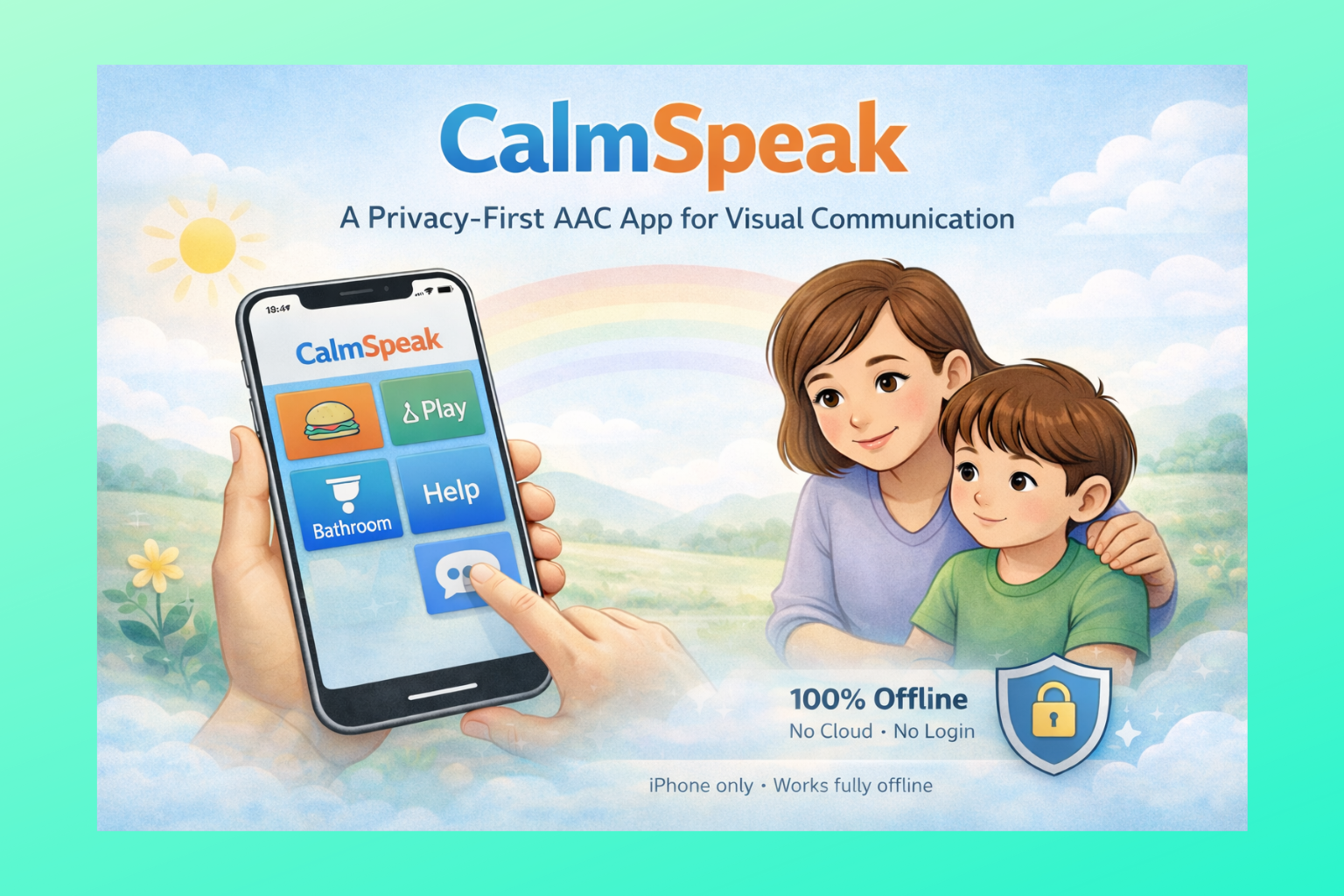
Augmentative and Alternative Communication (AAC) tools have transformed how nonverbal and minimally verbal individuals express themselves. For someone who cannot rely on speech, a simple picture card or a tablet app can become their voice. In this post, we introduce CalmSpeak, a new iOS app that exemplifies the best of AAC – combining visual communication, predictability, and a privacy-first design – to help individuals communicate with confidence. We’ll explore what AAC is, the challenges nonverbal people (especially those with autism or developmental differences) face, why visual supports and routine are so calming, real-world scenarios where apps like CalmSpeak make a difference, and how CalmSpeak stands out as an inclusive, offline solution.
What Is AAC? Low-Tech and High-Tech Communication

Augmentative and Alternative Communication (AAC) refers to all the ways someone communicates besides talking. In other words, AAC includes any tool or method that adds to or replaces speech for those who have difficulty speaking. AAC spans a broad spectrum from “no-tech” and low-tech options to high-tech solutions:
- Low-tech AAC: These are non-electronic methods using external aids. For example, a child might point to pictures in a communication book or exchange a card with a picture of an object (like a snack or toy) to request it. Other low-tech tools include gesture systems, sign language, alphabet boards, and collections of laminated picture symbols. These require no batteries or software – a classic example is the Picture Exchange Communication System (PECS), where an individual hands over picture cards to communicate wants and needs. Low-tech AAC is popular because it’s simple and robust; even pen and paper or a whiteboard can serve as a communication aid in a pinch.
- High-tech AAC: These involve electronic devices or apps that generate speech or text. You may have seen someone using a dedicated speech-generating device or an app on a tablet that speaks aloud when icons are tapped. High-tech AAC can be as sophisticated as eye-tracking computers for people with mobility challenges, or as common as an app on an iPad that vocalizes the words associated with pictures. These tools often allow users to build sentences, choose from extensive vocabularies, and personalize the voice output, enabling richer communication. High-tech AAC has opened new worlds for many – but it usually works best alongside low-tech backups (for instance, having a paperboard available if a device’s battery dies).
No single AAC tool fits every person or situation. In fact, many individuals use a combination of AAC methods. For example, a nonverbal student might use a tablet app in class but rely on a simple yes/no card at the playground. Speech-language pathologists (SLPs) often emphasize trying different AAC strategies to find the right fit for each person. What’s important is that AAC gives the person a reliable way to express themselves – whether through pointing, tapping, or handing over a picture. As the American Speech-Language-Hearing Association succinctly puts it, AAC means “all of the ways that someone communicates besides talking”. This can augment any speech someone has, or serve as an alternative to speech altogether. Some individuals use AAC their entire lives, while others might use it temporarily (for instance, after a surgery or during recovery from a stroke).
Challenges Faced by Nonverbal Individuals (Especially in Autism)

Now imagine going through daily life without a dependable way to communicate your thoughts or needs. This is the reality for many nonverbal or minimally verbal individuals, including a significant subset of autistic children and adults. Communication challenges can impact every aspect of life – from basic needs (like indicating hunger or pain) to social connection (like saying hello or sharing an idea). When someone can’t speak or has very limited speech, it often leads to frustration, misunderstandings, and even behavioral struggles.
For example, a child might be hungry, tired, or in pain, but if they have no way to express that, they may understandably become very frustrated and resort to behaviors like crying, screaming, or self-injury to get a caregiver’s attention. Parents and teachers of nonverbal kids often witness these tantrums or meltdowns that aren’t “bad behavior” so much as a cry for help – the child is essentially saying “I have something to tell you, but I can’t get it out!” Lack of communication can also lead to social isolation; it’s harder to form friendships or engage in learning when you can’t easily participate in conversations or classroom activities.
Research and clinical experience show that giving individuals a means to communicate can significantly reduce these frustrations. One mother of an autistic boy observed that after her son started using an AAC device, “it has significantly decreased frustration and meltdowns – he now has a voice to tell us what he wants and needs.”. In general, AAC often leads to calmer, happier individuals because they’re no longer trapped in silence or misunderstanding. In fact, studies have found that introducing AAC can reduce challenging behaviors that stem from communication difficulties, paving the way for improved communication skills in the long run.
It’s also important to note that many autistic people process language and interaction differently. Some autistic children develop speech late or only use a few words, especially if they have co-occurring learning disabilities. Others might speak in some situations but become nonverbal under stress or sensory overload. These individuals might be described as “minimally verbal” or “non-speaking.” Regardless of the label, not speaking is not the same as not thinking or not understanding. Often, non-speaking individuals have a lot to say – they simply need alternative ways to say it. They might communicate through gestures, vocal sounds, or behavior, but these methods can be hard for others to interpret. This is where AAC becomes invaluable: it bridges the gap so that those who “speak few or no words” can still be heard.
In autism in particular, routine and predictability are key. Autistic individuals can be overwhelmed by unpredictability or sudden changes, which in turn makes communication even harder during anxious moments. They may also have strong visual thinking skills, meaning they understand and remember information better when it’s presented visually rather than through spoken words. This is why many autism support strategies lean on visual supports – from picture schedules to illustrated social stories – to aid communication and understanding.
Why Visual Supports and Predictability Matter

For nonverbal and autistic individuals, the adage “a picture is worth a thousand words” is often very literally true. Visual supports are things like picture icons, illustrated schedules, emotion emojis, or written words that serve as consistent cues in place of fleeting spoken language. Unlike spoken words, which vanish in an instant, visual supports stay in view, allowing the person to process information at their own pace. Many autistic people are visual learners, so seeing a concept often makes it click. For instance, a picture of a toilet on a card can immediately convey “bathroom” without the person having to interpret the spoken word, which might get lost in the whirlwind of auditory processing.
Visual supports do more than just convey requests – they can outline routines, expectations, and emotions in a concrete way. A prime example is a visual schedule: a chart or sequence of images showing the activities for the day (like breakfast, then school, then therapy, then home). These schedules create a sense of predictability and structure. For an autistic child who might be anxious about “what’s happening next,” seeing the day laid out visually can be incredibly calming. In fact, clinical guidelines for autism often recommend visual schedules and similar supports because they reduce anxiety, increase predictability, support communication, and improve participation. When individuals know what to expect, there are fewer surprises to trigger stress. A study in the journal Autism found that using visual supports regularly (not just in school but also at home and in the community) helped families and individuals by making daily life more structured and less stressful.
Let’s consider a concrete scenario: A nonverbal child is transitioning from playtime to dinnertime – a common meltdown moment if the child doesn’t know why play is ending. If the parent uses a first-then board (a visual that shows “First play, then dinner”), or if the child can see on their schedule that dinner comes after play, the child is prepared. The visual sets a clear expectation: finish this, then that. This can greatly ease the transition, whereas a verbal “Time to stop playing and eat” might not register or might feel abrupt. Visual supports essentially make time and events more concrete. They can also illustrate social situations (through social stories), offer choices (through choice boards), or provide a menu of feelings (through emotion cards or emojis) to help an individual express their internal state.
Multiple benefits of visual supports have been documented. They can lead to improved communication (by giving an alternate way to express needs), greater independence (by letting someone follow a checklist or schedule on their own), and reduced anxiety (by removing the fear of the unknown). One study cited by the National Autistic Society reported that introducing visual supports not only calmed anxiety but also boosted communication and participation in daily activities. Parents often find that when they use tools like visual schedules or picture cues consistently, their children feel more secure and have fewer behavior flare-ups. For nonverbal individuals, visuals are language – a language that doesn’t vanish or overwhelm the senses.
AAC in Action: Real-World Scenarios

To appreciate how AAC and visual tools can change lives, it helps to envision them in everyday settings. Here are a few real-world examples and scenarios where an app like CalmSpeak (or any robust AAC system) can help:
- In the Classroom: A 7-year-old student who is minimally verbal uses an AAC app during class. During morning circle time, she taps on an “I have an idea” picture to contribute to a discussion, or selects symbols to answer her teacher’s questions. When it’s time for recess, she checks her visual schedule on the app, which shows “Math, then Recess,” helping her anticipate the break and reducing anxiety about when playtime will come. If she needs a bathroom break, she can quickly hit the always-available “Bathroom” button on her screen to alert the teacher. By having these tools, she participates more fully – greeting classmates, making choices, and showing what she knows in academic activities. Her peers and teachers see her capabilities rather than focusing on her silence.
- At Home: The parent of a nonverbal child uses an AAC app to understand their child’s needs and to establish comforting routines. In the morning, they review the day’s routine using a visual schedule on the app – showing a sequence like “breakfast, then go to therapy, then playground, then dinner,” etc. This morning check-in becomes a ritual that gives the child a sense of security about the day. Throughout the day, the child can use the app’s communication tiles to ask for things (“🍎 Eat” if they’re hungry, or tapping “😞 Not feel well” if something hurts). In the evening, the parent and child use a mood tracking feature together – the child selects an emoji that matches their feeling (happy, sad, calm, etc.) and maybe adds a little note or chooses a picture of something they liked that day. This not only helps the child express emotions that they couldn’t put into words, but it also opens a gentle conversation and builds emotional awareness. Over time, the family notices fewer bouts of unexplained crying or frustration, because the child has ways to signal basic requests and feelings before they reach a boiling point.
- During Therapy or Healthcare Visits: A speech therapist might incorporate the AAC app into sessions to reinforce communication goals. For example, the therapist and child practice making choices by using the app’s choice board – “Do you want to play with the ball or read a book?” and the child taps the corresponding picture. The app’s data logging tracks these communications, so the therapist can see progress over time (e.g. which new words the child is using more often). If the child has an upcoming doctor’s appointment, the therapist or parent can bring up a relevant social story on CalmSpeak (perhaps a short illustrated story about “Going to the Doctor” that the app includes). Together they read the story on the tablet, which shows pictures of what will happen at the appointment, making the experience more predictable and less scary. At the appointment itself, if the child is anxious and goes nonverbal, they (or their parent) can use the app’s special “I am nonverbal” emergency card feature to show the doctor a message explaining the situation (e.g. a screen that reads “I communicate using this app. Please give me time” along with contact information). The child can also tap pain icons on a body map or emotion faces to show where they feel hurt or how they feel. As a result, the medical staff can better understand and accommodate the child. Therapists and parents later can review the communication logs or exported PDF reports from the app to discuss improvements and adjust strategies in the child’s Individualized Education Plan (IEP).
- For Adults or Teens: AAC apps aren’t just for young children. Imagine a teenager with a developmental disability who is nonverbal – in high school, they use an app to participate in academic work (typing or selecting symbols to write sentences for an assignment). At a work-training program, they use the app to greet customers with a pre-programmed phrase like “Hi, how can I help you?” which boosts their confidence and independence. If they feel overwhelmed, they can discreetly use a calm-down module in the app (perhaps a guided breathing exercise with on-screen visuals and soothing sounds) to regain composure. The app’s adaptability means it grows with them – from simple one-word requests to constructing sentences, as their literacy and needs develop.
These scenarios demonstrate how AAC can permeate all environments: home, school, community, and therapy. The common thread is that the ability to communicate – whether it’s pressing a button that says “I need a break” or showing a picture of “sick” to indicate not feeling well – empowers the individual. It turns situations that used to be full of anxiety and guesswork into opportunities for connection and understanding.
Introducing CalmSpeak: A Visual Voice and Routine App

CalmSpeak is a new AAC app that has been thoughtfully designed with all these challenges and use-cases in mind. Its goal is right in the name – to help users speak in a way that keeps them calm. Developed as a comprehensive “visual voice” for nonverbal or speech-impaired users, CalmSpeak provides a suite of tools: a picture-based communication board, a daily visual schedule, a mood and feelings log, and even calming exercises and social stories, all within one app. Crucially, it does this while respecting privacy and staying completely offline.
Let’s break down what CalmSpeak offers and why it’s special:
- Picture Communication Tiles (Voice Output): CalmSpeak comes with a robust library of 310 visual tiles across 12 categories representing common words and phrases. Each tile has an image (often an emoji or simple icon) and associated text. Tapping a tile will speak the word or phrase aloud using high-quality text-to-speech. This gives a user an instant voice for everyday needs – like tapping “🥪 Eat” or “🏃 Play” or “❤️ I love you” and having the device speak that aloud. Users can also build sentences by stringing together multiple tiles on a sentence strip at the top of the screen (up to 8 tiles for a full sentence). For example, they could tap “I” + “want” + “🎧 music” and then tap the sentence strip to speak “I want music.” The app provides quick access to core phrases as well – essential buttons like “Yes,” “No,” “Help,” “Wait,” and “Bathroom” are always visible on every screen for immediate communication. This means even if the user is in the middle of a schedule or feelings section, they can quickly hit “I need help” without navigating away. The communication board is fully pictorial (no keyboard needed), which is great for users who can’t spell or type. It’s designed to be simple and intuitive: large grid buttons that can be configured to various sizes (to accommodate different motor abilities), with the most frequently used tiles popping up for easy access. By focusing on pictures and voice output, CalmSpeak enables users to express a wide range of messages – from basic requests to feelings to social greetings – just by tapping images.
- Daily Visual Schedule (Routine Tracker): Predictability is a pillar of CalmSpeak’s approach. The app includes a built-in visual schedule that caregivers or users can set up each day. This appears as a vertical list of tasks or activities with checkable boxes and icons. For example, a morning routine might list: “Brush teeth” (with a toothbrush icon), “Get Dressed” (shirt icon), “Breakfast” (cereal icon), and so on. As the day progresses, the user or caregiver can mark tasks as completed with a satisfying checkmark (completed tasks might fade or move to the bottom). There are even “Now” and “Next” labels to highlight the current activity and upcoming one, which is a common strategy to help those with autism focus on the present task while knowing what comes next. CalmSpeak’s routine tool is flexible: caregivers can reorder tasks on the fly via drag-and-drop and save routine templates for different days or contexts (e.g., a “Weekday School Day” routine vs. a “Weekend” routine). By presenting the day’s game plan in a visual format, CalmSpeak greatly reduces the user’s anxiety about transitions. They can glance at their iPhone and see an ordered, pictorial list of their day, giving them a sense of control and preparation. This feature turns CalmSpeak into more than a voice – it’s also an organizational and coaching tool for life skills. Families have the benefit of consistency (everyone using the same app for the schedule) and can avoid hauling around paper schedules. And unlike a paper schedule, this one lives on a device that also speaks, logs data, and adapts easily.
- Mood & Feelings Tracker: Emotions can be hard for anyone to communicate, let alone someone without reliable speech. CalmSpeak addresses this by providing a visual mood journal. Users can check in by selecting from expressive face icons (happy, sad, frustrated, calm, etc.) to label how they feel. They can do this daily or whenever needed. There’s even a simple body map feature where someone can tap on a body outline to indicate where they feel pain or discomfort – incredibly useful for someone who can’t say “my stomach hurts” in words. The app saves these mood entries so caregivers and therapists can review patterns over time (for example, noticing that a child is often anxious on Monday mornings or was repeatedly indicating “headache” – which could prompt a medical check). By giving a nonverbal person a voice for internal states, CalmSpeak helps them feel understood and teaches an important skill: emotional identification. As an added benefit, it opens up dialog; a parent might see their child selected the “sad” emoji and then can gently inquire or offer comfort, whereas without the app the parent might have had no clue about the child’s mood. Over time, tracking feelings can highlight progress (fewer angry outbursts, more calm days) or triggers to address (if “scared” appears often on a particular activity). It’s a therapeutic tool neatly woven into the communication system.
- Calming and Coping Tools: True to its name, CalmSpeak includes a Calm-Down toolkit for moments of stress. This might be one of the most unique aspects compared to typical AAC apps. The toolkit offers guided breathing exercises, sensory break ideas, and calming sounds/visuals. For example, one exercise might show a slowly inflating and deflating graphic that the user can breathe along with for a calming effect, accompanied by a gentle chime. There are a few different breathing animations and some tranquil looping sounds (like soft rain or a calm melody) to help the user self-regulate. Additionally, there are “sensory break” suggestions – simple illustrated prompts like stretching, squeezing a stress ball, or looking at a soothing visual – which caretakers can initiate from the app when they sense overwhelm. This integration of self-regulation strategies acknowledges that communication isn’t just about outward expression; it’s also about managing the internal emotional state so that communication can happen. If a user is too anxious or upset, they might not be able to engage with even their AAC device. CalmSpeak’s built-in calming aids aim to bring the user back to a state where they can communicate. It’s a thoughtful touch that recognizes how closely communication and emotional regulation are connected, especially for autistic individuals. By having these supports in the same app, a caregiver can switch to “calm mode” without fumbling through another app or tool – it’s right there when needed.
- Social Stories and First-Then Boards: CalmSpeak goes beyond one-off communication and provides content to help teach and prepare. The app includes a library of 45 social stories – short, simple stories with pictures that describe common scenarios and expected behaviors. Topics might include things like “Going to the Dentist”, “Handling Fire Drills at School”, or “Understanding Emotions”. Social stories are a proven strategy in autism support to rehearse events and reduce anxiety through understanding. In CalmSpeak, these stories are readily available and can be read on-screen with accompanying narration. Similarly, the app features a First-Then boardtool. Caregivers can quickly set up a visual showing a “First ___, then ___” sequence (for example, first finish homework, then get tablet time – even using actual images of the homework and tablet). This helps reinforce contingencies and motivate the user by visually affirming that a preferred activity will follow a less preferred one. Including first-then boards in the app means you don’t need a separate chart; it’s all integrated and uses the same familiar picture library. These kinds of tools strengthen the predictability and clarity of the user’s world, which as we discussed, directly translates to lower anxiety and fewer behavior issues. It’s worth noting that having multiple functions (communication, schedules, stories, etc.) in one app is beneficial – the user learns one interface and one set of icons, and gets multiple supports from it, rather than switching contexts between different apps for different needs. CalmSpeak was built as a one-stop solution for visual communication and support, recognizing that consistency is comforting for those who crave predictability.
- Caregiver & Therapist Friendly Features: The designers of CalmSpeak kept in mind that the app will often be managed by a caregiver, teacher, or therapist, especially for younger users. There are PIN-protected settings so that an adult can customize the app without the user accidentally altering it. In these settings, you can hide certain tiles or categories (to simplify the choices for a beginner, for instance), adjust the voice (choosing a child-like voice vs. adult voice, male or female, and the speech rate), and toggle accessibility options. CalmSpeak also generates communication logs – basically a history of what was “said” using the app, with timestamps. This is great for reviewing at the end of the day or sharing with a speech therapist (“look, he requested the bathroom three times today appropriately!”). Additionally, all the important data (like custom routines or logged moods) can be exported as a PDF report. This is extremely handy for things like IEP meetings or therapy sessions – you can bring a printout or email of the child’s communication usage and progress. The app supports data backup and restore as well, though it’s all local (you might back up to a file on your computer, since there’s no cloud account). All these tools make it easier to collaborate in the child’s support team. A teacher could send the log to parents to show how often the student communicated at school, or a parent could provide a therapist with the mood journal printout to discuss emotional targets.
- Privacy-First and 100% Offline: One of the standout philosophies of CalmSpeak is its privacy-first design. Unlike some modern apps that store data on cloud servers or require you to log in, CalmSpeak doesn’t collect or transmit any user data. Everything the user does – the voice recordings, the schedule entries, the mood logs – stays on the device (iPhone) itself. There are no accounts to sign up for, no internet connection needed, and absolutely no tracking of usage. This is a relief for many parents and professionals who are concerned about sensitive information (for example, a child’s therapy notes or personal feelings) being uploaded or potentially exposed. Privacy isn’t just a nice-to-have in AAC; it’s essential, because these apps become an extension of the person’s own voice and identity. CalmSpeak treats the user’s “voice” with the confidentiality it deserves. Being offline also has practical benefits: the app works anywhere, even if you’re on a rural farm, on an airplane, or in a school with poor Wi-Fi. Reliability is key for a communication aid – you don’t want it to fail when you need it most. By being completely offline and self-contained, CalmSpeak ensures the user always has a voice at the ready. (It uses the iOS device’s built-in text-to-speech engine, so no internet is required for speech either.) In short, CalmSpeak is “Private by design – no cloud, no login, no tracking”, giving families peace of mind about data.
- Inclusive, Accessible Design: CalmSpeak was built from the ground up to be accessible to users with various physical and sensory needs. The interface uses extra-large touch targets (buttons are large and spaced such that even users with limited fine motor skills or tremors can hit them). In fact, touch areas are at least 60–80 points in size, meeting and exceeding typical accessibility guidelines. The layout is kept consistent and predictable – navigation elements stay in the same place, and there are no surprise pop-ups or confusing gestures needed. For someone with cognitive challenges, this consistency means they can learn the app once and not worry that it will change on them. The color scheme offers sensory-friendly themes (four options) with muted colors and optional high-contrast mode. Animations and sounds are gentle and can be turned off or toned down if the user is sensitive. CalmSpeak is also compatible with device accessibility features: it’s tested to work with VoiceOver (the iPhone’s screen reader) and supports Switch Control for those who use switch scanning instead of direct touch. That means a user who cannot use their hands can still navigate CalmSpeak’s interface by using adaptive switches, as the app’s buttons and lists are all accessible to scanning. There are no complex multi-finger gestures or time-sensitive swipes required – interactions are simple taps, which also suits users who may have motor planning difficulties. This attention to inclusive design ensures that as many people as possible can use CalmSpeak effectively, whether they have autism, cerebral palsy, Down syndrome, or are recovering from a stroke. It’s not just about serving one diagnostic group; it’s about following universal design principles so the app is flexible and usable. As an AAC tool, it truly aims to give everyone a voice, regardless of physical or cognitive ability.
- Ready to Use, One-Time Purchase: Another caregiver-friendly aspect: CalmSpeak comes with comprehensive pre-built content so you can start using it right away without extensive setup. The 310 communication symbols, the 60 routine tasks with icons, the library of social stories – all are included. You’re not required to create a huge vocabulary from scratch (though you can customize as needed). This saves busy parents and teachers a lot of time. And unlike some apps that charge monthly subscriptions or make you buy add-on packs, CalmSpeak is a one-time purchase with all features unlocked. There are no in-app ads or gimmicks – once you have the app, it’s yours to use fully, offline, forever. This model is particularly welcome in schools or clinics that might not allow recurring subscriptions for apps.
In summary, CalmSpeak strives to be an all-in-one, calming communication aid. It pairs the essential functions of an AAC speech app with the supportive structure of visual schedules and coping tools. It was clearly built by developers who understand the needs of AAC users and the concerns of caregivers. As one description states, it’s “a simple, effective communication app built to support individuals with non-verbal or speech impairments… with large visual tiles, customizable phrases, and keyboard-free interaction”. It’s not just another AAC app – it’s also a daily planner, a feelings journal, a teaching tool, and a safety net (with features like the emergency card). And it does all of this while fully respecting user privacy and autonomy (no data ever leaves your device). Given the landscape of AAC technology, CalmSpeak’s approach of “No cloud — just easy, offline speech support” is refreshing.
A Gentle Invitation to Try CalmSpeak
Effective communication is truly the cornerstone of connection, learning, and independence. AAC tools like CalmSpeak are making it easier for nonverbal individuals to share their thoughts with the world – and to do so in a way that feels safe and comfortable. Whether you’re a parent seeking a better way for your child to express their needs, a teacher looking to support a student’s participation, or a therapist exploring new resources for clients, CalmSpeak offers a comprehensive yet user-friendly solution. It brings together voice output, visual scheduling, and calming strategies into one app that can grow and adapt with the user.
If you’ve ever felt the heartbreak of not knowing what your nonverbal loved one is trying to tell you, or witnessed their anxiety melt away when shown a simple picture schedule, then you understand the power of these tools. CalmSpeak was created to harness that power – to give individuals a voice and a sense of calm predictability at the same time. And thanks to its offline, privacy-first design, you can use it with confidence anywhere, anytime, without concerns about data or connectivity.
We encourage you to consider introducing CalmSpeak to your family or community. Setting it up is straightforward (no logins or accounts needed), and you can tailor it to your learner’s needs. Even if you’re new to AAC, the app’s built-in guidance and pre-made content make the journey approachable. Of course, every individual is unique – some may take to the app immediately, while others might need gradual introduction – but with patience and consistency, you might be amazed at the breakthroughs that follow.
Giving a child or adult the tools to communicate can be life-changing. Requests that once resulted in tears can turn into simple button presses; confusion about the day’s events can turn into calm anticipation of what’s next. You’ll likely see not only improved communication, but also reduced anxiety and frustration, and increased engagement with the world around them. As research and countless success stories have shown, empowering someone with AAC often unlocks potential that was always there, just waiting for a voice.
If this sounds like a step you’d like to take, we invite you to try CalmSpeak. Explore its features, involve your child or student in the process (they often enjoy selecting the icons or themes!), and consult with your SLP or educator on how to integrate it into daily routines. Remember, AAC is not a last resort – it’s a bridge to communication that can open up at any age. And using AAC does not hinder speech; in fact, it can encourage verbal development by reducing frustration.
CalmSpeak is built on the belief that everyone deserves a voice and the peace of mind that comes with knowing what to expect. It’s about making effective communication a reachable goal for all, which in turn makes everyday life smoother and more joyful for individuals and their families. If you’re a caregiver, educator, or therapist, CalmSpeak is a tool that can support you in this journey – a private, always-ready voice for those who need it most.
Feel free to reach out for more information or guidance on using the app (the CalmSpeak team is eager to help, and there are no silly questions when it comes to learning AAC). When you’re ready, give CalmSpeak a try and see how it can bring a little more clarity, calm, and conversation into your world. Your learner’s first independent “sentence” might be just a few taps away!

Empower communication. Embrace calm. With the right support, every voice can speak.
Support ZeroCloud Apps
ZeroCloud Apps is an independent project focused on building offline-first, privacy-respecting software — without ads, trackers, or data monetisation.
Support the projectThank you for supporting independent, offline-first software ❤️
Leave a Reply